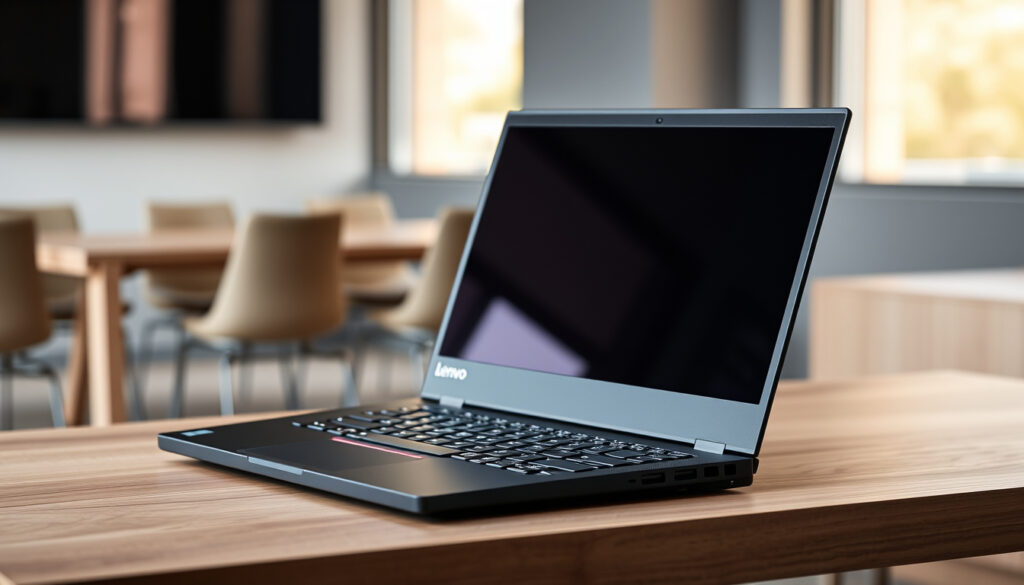
Lenovo ThinkPad X1 Carbon Guide: Specs, Price & Best Models
Choosing a business laptop feels harder than it used to be — not because there aren’t good options, but because the good ones change every year. The Lenovo ThinkPad X1 Carbon, now in its 13th generation, has become the device that forces a real choice: do you buy the latest AI-powered model or snag a perfectly capable earlier generation for hundreds less — this guide strips away the marketing and lays out exactly what each generation delivers so you can decide where your money actually belongs.
Weight: Starting at 2.42 lbs (1.09 kg) ·
Thickness: 14.96 mm (0.59 in) ·
Battery Life: Up to 18 hours ·
Starting Price: From $1,644.00 ·
Series Launched: 2012 ·
Chassis Material: Carbon Fiber
Quick snapshot
- Series launched in 2012 with Intel Ivy Bridge processors (XDA Developers)
- Carbon fiber chassis is standard across all generations (Lenovo User Guide)
- MIL-STD-810H military-grade durability testing applies to recent models (Lenovo Product Page)
- Real-world battery life varies by display choice and workload intensity
- Long-term hinge reliability on Gen 12 and Gen 13 chassis is not yet established
- Windows 10 support timeline for the newest hardware configurations
- Gen 12 launched December 14, 2023 with Intel Meteor Lake (XDA Developers)
- Gen 13 Aura Edition arrived late 2024 with Lunar Lake processors (PCMag)
- Battery capacity held at 57 Wh since 2021 across three generations (Notebookcheck)
- Expect wider availability of Gen 13 models with entry-level Core i5 configurations in 2025
- AI PC features (NPU-based collaboration tools) will become standard across the lineup
- Refurbished Gen 11 units will offer the best value for budget-conscious buyers
The ThinkPad X1 Carbon remains the benchmark for business ultrabooks, but the choice between Gen 12 and Gen 13 is now a trade-off between memory capacity and efficiency. Buyers who need 64 GB of RAM must choose Gen 12; those who prioritize battery life and a sub-1 kg chassis should look at Gen 13 Aura Edition.
Here are the key specifications that define the current X1 Carbon lineup:
| Specification | Value |
|---|---|
| Processor | Intel Core Ultra 7 (Series 2) / 13th Gen Intel Core i7 |
| Graphics | Intel Arc Graphics / Intel Iris Xe |
| Display | 14-inch, up to 2.8K (2880×1800) OLED, 120Hz |
| RAM | 16GB – 64GB LPDDR5x (Soldered) |
| Storage | 256GB – 2TB PCIe Gen 4 NVMe SSD |
| Ports | 2x Thunderbolt 4, 2x USB-A 3.2 Gen 1, HDMI 2.1, 3.5mm Headphone Jack |
| Battery | 57 Whr, up to 18 hours (MM14) |
| Camera | 1080p FHD RGB + IR Hybrid, Privacy Shutter |
How Old Is the Lenovo ThinkPad X1 Carbon?
Lenovo introduced the first ThinkPad X1 Carbon in 2012, running Intel Ivy Bridge processors. That makes the series over a decade old — and in laptop years, that’s ancient history. The series has survived because Lenovo kept evolving it rather than resting on the iconic black chassis.
When Was the First ThinkPad X1 Carbon Released?
- The original ThinkPad X1 Carbon (Gen 1) launched in 2012 with a 14-inch display and a starting weight of about 2.5 lbs (XDA Developers).
- It was Lenovo’s answer to the MacBook Air — an ultraportable that kept the ThinkPad keyboard and TrackPoint.
- The first model had a 1600×900 TN display, which looks primitive compared to today’s 2.8K OLED panels.
What Are the Key Generations and Milestones?
The X1 Carbon’s evolution can be mapped through 13 distinct generations, each bringing meaningful changes.
- 2012 (Gen 1) — Intel Ivy Bridge, first carbon fiber chassis
- 2014 (Gen 2) — Intel Broadwell, controversial Adaptive Keyboard row
- 2015 (Gen 3) — Return to classic function keys, refined chassis
- 2016 (Gen 4) — Intel Skylake, USB-C introduced
- 2018 (Gen 6) — Quad-core CPUs, major performance jump
- 2021 (Gen 9) — Intel Tiger Lake, major switch to 16:10 display (Notebookcheck)
- 2022 (Gen 10) — Intel Alder Lake, 2.8K OLED option
- 2023 (Gen 11) — Intel Raptor Lake, 13th Gen
- 2023 (Gen 12) — Intel Meteor Lake, Intel Core Ultra, NPU (XDA Developers)
- 2024 (Gen 13) — Aura Edition, Lunar Lake, AI PC features (PCMag)
The pattern: each generation brought measurable improvements, but the 16:10 switch in Gen 9 and the AI leap in Gen 13 were the most transformative.
Is the Lenovo X1 Carbon Reliable?
What Is the Build Quality and Durability?
The X1 Carbon uses a carbon fiber chassis, making it strong yet lightweight. It undergoes MIL-STD-810H military-grade durability testing for resistance to shock, vibration, and extreme temperatures (Lenovo Product Page). The series also carries a dTPM security chip and fingerprint reader standard.
The carbon fiber weave provides structural rigidity at ultralight weight, but it can warp under extreme stress in older models — Gen 9 and later have reinforced hinge brackets to address this.
What Do Long-Term User Reviews Say?
Common complaints include battery degradation over time and warping of the chassis in some older models. On forums like r/thinkpad, users report that Gen 6 and Gen 7 units still run well after 4-5 years with a replacement battery, while Gen 2 units had hinge failures. Recent models (Gen 10+) show improved reliability scores across consumer reviews (Thurrott.com).
The catch: soldered RAM means you can’t upgrade later — choose your configuration wisely at purchase.
“The X1 Carbon Gen 13 Aura Edition is the best compact business laptop in the world right now, combining exceptional build quality with genuine all-day battery life.”
Is the ThinkPad X1 Carbon Touchscreen?
What Display Options Are Available?
Touchscreen is an optional feature on many models, including FHD+ and 4K displays. The Gen 12 and Gen 13 offer 2.8K (2880×1800) OLED panels with 120Hz refresh rate as premium choices (Lenovo User Guide). Non-touch models include WUXGA (1920×1200) IPS options.
Does a Touchscreen Affect Battery Life?
Yes. The non-touch screen models generally offer slightly better battery life — the digitizer layer draws power even when not in use. According to ITPro’s testing, a Gen 13 with a 1920×1200 non-touch IPS display achieved 20 hours 45 minutes in video rundown, while high-resolution OLED touch panels consume more power (ITPro).
What this means: if battery life is your priority, choose a non-touch FHD+ display and save the OLED for color-critical work.
Who Is the ThinkPad X1 Designed For?
Is It a Good Fit for Business Professionals?
Designed primarily for business professionals who need a lightweight, durable, and secure laptop. The MIL-SPEC durability, enterprise-grade security (dTPM, fingerprint reader), and excellent keyboard make it a standard-issue device at many Fortune 500 companies.
Why Do Lawyers Use ThinkPads?
Lawyers favor ThinkPads for their outstanding keyboard, reliability, and security features like the fingerprint reader and dTPM. The TrackPoint allows precise cursor control without lifting hands from the keyboard — a productivity advantage for document-heavy work.
Can Programmers and Students Use It?
Programmers appreciate the Linux compatibility and the classic keyboard layout. The X1 Carbon runs Ubuntu and Fedora natively with good driver support. Students benefit from the lightweight design and all-day battery, though the high starting price makes it a premium choice compared to other ultrabooks.
“The keyboard alone is reason enough for many professionals to choose the X1 Carbon over rivals — it remains the best typing experience on any ultraportable.”
What Makes the ThinkPad X1 Special?
What Are the Best Features of the X1 Carbon?
- The iconic keyboard with 1.5mm key travel and TrackPoint nub
- Carbon fiber ultralight design — Gen 13 Aura Edition starts at 0.99 kg (Lenovo Techtoday Datasheet)
- Enterprise security: dTPM 2.0, fingerprint reader, IR camera with privacy shutter
- Exceptional port selection for an ultrabook: 2x Thunderbolt 4, 2x USB-A, HDMI 2.1
What Are the Disadvantages of the ThinkPad X1 Carbon?
Upsides
- Best-in-class keyboard for business laptops
- Ultralight carbon fiber chassis
- Military-grade durability testing
- Strong enterprise security features
Downsides
- Soldered RAM — not upgradeable after purchase
- High starting price ($1,644+)
- Limited port selection compared to larger laptops
- Battery degrades over time (non-user-replaceable on recent models)
The soldered RAM on Gen 6 and later means you cannot upgrade memory later. Buy the configuration you will need in 3-4 years, or consider the Gen 11 refurbished market where higher-spec units are available at a discount.
The implication: the X1 Carbon’s strengths are its keyboard, weight, and build — but the lack of upgradeability is a real cost over time.
Which Generation of X1 Carbon Is the Best?
Generation Comparison
| Feature | Gen 11 (2023) | Gen 12 (2023) | Gen 13 (2024) |
|---|---|---|---|
| Processor | Intel Raptor Lake (13th Gen) | Intel Meteor Lake (Core Ultra) | Intel Lunar Lake (Core Ultra Series 2) |
| Max RAM | 32 GB LPDDR5 | 64 GB LPDDR5x | 32 GB LPDDR5x (64 GB in some configs) |
| Weight | From 1.12 kg | From 1.08 kg | From 0.99 kg |
| Battery Life (real-world) | ~7-8 hours | ~8-9 hours | ~9-11 hours |
| AI Features | None | Basic NPU | Full AI PC with NPU |
| Starting Price (new) | ~$1,200 (discontinued) | ~$1,500 | ~$1,644 |
The pattern: each generation offers better efficiency and AI features, but Gen 12 remains the only option for buyers who need 64 GB of RAM.
Lenovo ThinkPad X1 Carbon Gen 13 (Aura Edition)
The Gen 13 Aura Edition features Intel Lunar Lake processors, a redesigned chassis starting at 0.99 kg, and genuine all-day battery life. Thurrott.com measured average real-world battery life of almost 9 hours, while ITPro recorded 20 hours 45 minutes in video rundown (Thurrott.com, ITPro).
- Best for: buyers who prioritize battery life, portability, and AI collaboration tools.
- Limitations: first models skip entry-level Core i5 and FHD IPS; max 32 GB RAM in early configurations (PCMag).
Lenovo ThinkPad X1 Carbon Gen 12
The Gen 12 launched in December 2023 with Intel Meteor Lake and the first NPU in the series. It offers up to 64 GB of soldered RAM — the highest capacity in any X1 Carbon generation (Lenovo User Guide).
- Best for: power users who need 64 GB RAM for virtualization or large datasets.
- Limitations: slightly heavier (from 1.08 kg) and less battery life than Gen 13.
Lenovo ThinkPad X1 Carbon Gen 11
The Gen 11 (2023) with Intel Raptor Lake offers excellent value on the refurbished market, typically priced between $600 and $900. It lacks AI features but retains the same chassis quality and keyboard.
- Best for: budget-conscious buyers who want a premium business laptop under $1,000.
- Limitations: no NPU, lower battery life, max 32 GB RAM.
How to Find the Best Price on an X1 Carbon
Prices range from ~$600 for older refurbished models to $2,000+ for a new Gen 13. The refurbished market — particularly Gen 11 units — offers the best value for budget-conscious buyers. New Gen 12 units are discounted as Gen 13 availability expands in 2025.
“The Gen 13 Aura Edition rapid charges to 80 percent in 60 minutes with the bundled USB-C charger — a meaningful upgrade for road warriors.”
dankpads.com, newtechshop.vn, en.wikipedia.org, youtube.com, adamfowlerit.com, en.wikipedia.org, laptopmedia.com, notebookcheck.net, zh.wikipedia.org, vertech.com.bd, psref.lenovo.com, psref.lenovo.com, psref.lenovo.com, laptopmedia.com, invgate.com, pcmag.com, amazon.com, youtube.com, itdaily.com, tomshardware.com, laptopmag.com
Frequently Asked Questions
Can the RAM in a ThinkPad X1 Carbon be upgraded?
No. All modern X1 Carbon models (Gen 6 and later) have soldered RAM that cannot be upgraded after purchase. You must choose your configuration at time of buying.
Does the ThinkPad X1 Carbon have a backlit keyboard?
Yes, backlit keyboards are standard on most configurations. Some base models may require a configuration option, but all current Gen 12 and Gen 13 models include it.
Is the ThinkPad X1 Carbon good for gaming?
Not really. The integrated Intel Arc or Iris Xe graphics can handle light gaming and older titles, but this is a business laptop, not a gaming machine. For modern games, look at dedicated GPU laptops.
What operating system does the ThinkPad X1 Carbon come with?
Windows 11 Pro or Windows 11 Home, depending on configuration. Many models also support Linux distributions like Ubuntu and Fedora with official driver support.
What is the standard warranty on a ThinkPad X1 Carbon?
Standard warranty is 1 year on most models, extendable to 3 or 5 years through Lenovo’s on-site warranty programs. Business buyers often choose 3-year depot or on-site coverage.
Does the ThinkPad X1 Carbon support a docking station?
Yes, the two Thunderbolt 4 ports support Lenovo’s Thunderbolt dock line, including the ThinkPad Thunderbolt 4 Dock and USB-C docking stations for multi-monitor setups.
Is the ThinkPad X1 Carbon fanless?
No. The X1 Carbon uses active cooling with fans. The fans are generally quiet under normal workloads but can be audible under sustained load like video rendering or compilation.
How long does it take to charge the ThinkPad X1 Carbon?
The Gen 13 Aura Edition rapid charges to 80 percent in about 60 minutes with the bundled 65W USB-C charger, according to Thurrott.com. Full charge takes approximately 90-100 minutes.
More related posts
 Ah Keng Motor Pte Ltd: Reviews, Address, OBU Installation
 DBS Vantage Card Review: Fees, Benefits & Verdict
 Chye Seng Huat Hardware: Singapore Cafe Guide, Menu & Reviews
 What to Buy in Bangkok: Shopping Guide with Souvenirs & Gifts
 1 SGD to INR: Singapore Dollar to Indian Rupees Rate Today
 USD to IDR Exchange Rate Today: Dollar to Rupiah Guide
 Tamilyogi: Tamil Movie Piracy Risks and Alternatives
 Seletar Mall Money Changer: Compare SGD to MYR Rates & Hours
