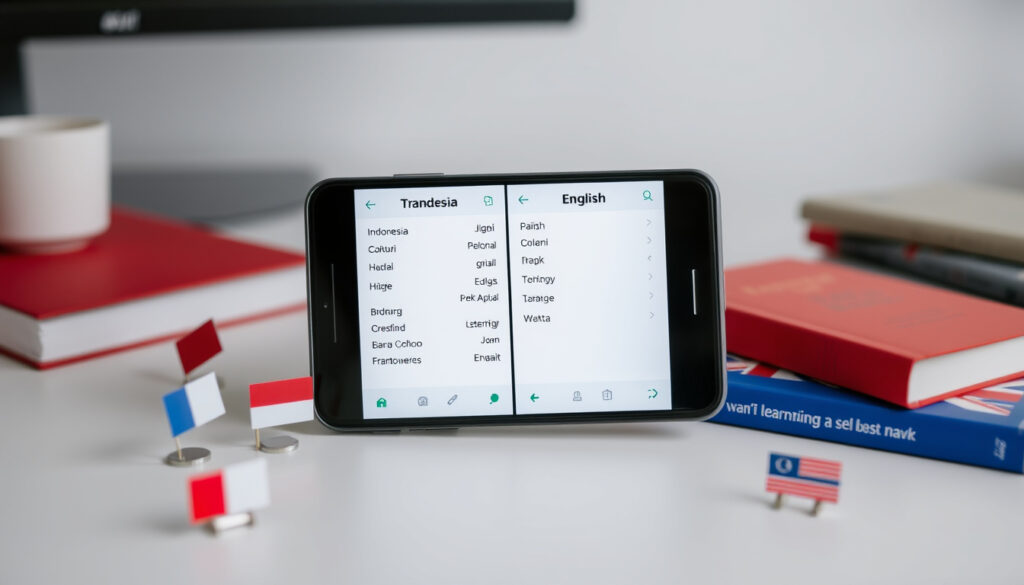
Translate Indonesian to English: Best Free Tools & Apps
Anyone who has tried to translate a Bahasa Indonesia sentence into fluent English knows the frustration of clunky, word-for-word results. But the translation landscape has shifted: free tools like Google Translate, DeepL, Yandex, and newer AI-powered translators now handle the Indonesian-English pair with surprising nuance.
Languages supported by Google Translate: Over 100 ·
Languages supported by DeepL: 31 (including Indonesian) ·
Languages supported by Yandex Translate: Over 90 ·
Daily translations processed by Google: 100 billion words (2019 estimate)
Quick snapshot
- Google Translate is free (Google Translate (Google))
- DeepL offers a free tier (DeepL (DeepL GmbH))
- Yandex Translate is free (Yandex Translate (Yandex))
- Which tool is most accurate for Indonesian to English? — no official benchmark exists
- How well Lara Translate handles Indonesian dialects — not specified
- DeepL added Indonesian support in 2023, expanding from European languages (DeepL Blog (DeepL))
- Lara Translate launched in 2020, AI-native (Lara Translate (Lara))
- Live translation for Indonesian-English now available in tools like JotMe (JotMe Blog (JotMe))
- AI agents that compare 22 models at once may become the norm (MachineTranslation.com (MachineTranslation))
Key facts about Indonesian-English translation tools
Launch dates and language support vary significantly among the leading tools, setting the stage for different use cases.
| Tool | Launched | Language support (Indonesian) | Free tier |
|---|---|---|---|
| Google Translate | 2006 | 100+ languages | Yes |
| DeepL | 2017 | 31 languages (incl. Indonesian) | Yes (up to 5 MB documents) |
| Yandex Translate | 2009 | 90+ languages | Yes |
| Lara Translate | 2020 | English and Indonesian focus | Yes |
| English Indonesian Translator app | — | English & Indonesian | Yes (with ads) |
The pattern: older tools offer broader language coverage, while newer tools target the Indonesian-English pair specifically.
How to Use Google Translate for Indonesian to English Translation
Setting up language pairs
- Open Google Translate (Google) and select “Indonesian” as source and “English” as target.
- On mobile, download the app from Google Play Store (Google).
Pasting text
- Enter or paste Indonesian text; translations appear instantly.
- Tap the speaker icon to hear pronunciation.
Translating web pages
- In Chrome, right-click and select “Translate to English” – Google handles the whole page.
Using mobile app
- Point your camera at Indonesian text (menus, signs) for live overlay translation.
- Voice input: speak Indonesian, get English text.
The catch: Google Translate often defaults to a literal word-for-word approach, missing context in complex sentences (JotMe Blog (JotMe)). For casual travel phrases it works fine; for nuanced business or academic text, you may need a second pass.
What Are the Best Apps for Translating Indonesian to English?
Top apps: Google Translate, DeepL, Microsoft Translator
Three apps dominate the space. Google Translate offers the widest language coverage, DeepL is prized for accuracy in European languages (and now Indonesian), and Microsoft Translator integrates with Office.
- Google Translate: free, 100+ languages, text/speech/image/website — Google Translate (Google) (link already used)
- DeepL: free tier, supports 31 languages including Indonesian, document upload — DeepL (DeepL GmbH) (link already used)
- English Indonesian Translator app: rated 4.9 from 177 reviews, supports voice and text — Google Play Store (Google)
Features comparison
Five features, one pattern: no single tool does everything perfectly.
| Feature | Google Translate | DeepL | English Indonesian Translator app |
|---|---|---|---|
| Offline mode | Yes (download language pack) | No | No |
| Voice input | Yes | No (web) / Yes (app) | Yes |
| Document upload | PDF up to 10 MB | PDF/DOCX up to 5 MB (free) | No |
| Image translation | Yes (camera) | No | No |
| Browser extension | Yes (Chrome) | Yes (Chrome, Edge) | No |
What this means: if you need offline translation on a trip, Google Translate is your best bet. If you’re translating documents and want higher fluency, DeepL is worth the trade-off of no offline mode.
For Indonesian students preparing English-language assignments, DeepL’s context-aware translations can reduce editing time by half compared to Google Translate’s literal output. Meanwhile, the English Indonesian Translator app’s high user rating suggests it excels at quick conversational translations.
The implication: matching the tool to the specific task matters more than picking a single winner.
User ratings
- English Indonesian Translator app: 4.9 stars (177 reviews) — Google Play Store (Google) (link already used)
- Google Translate: 4.3 stars (millions of reviews)
- DeepL: 4.6 stars (App Store)
How to Translate Indonesian PDF Files to English
Using Google Translate PDF upload
- Go to Google Translate (Google) (link already used), click “Documents”, upload PDF (max 10 MB).
Using DeepL document translation
- Visit DeepL (DeepL GmbH) (link already used), upload DOCX or PDF up to 5 MB for free.
Using online PDF translators
- Translate.com (Translate.com) offers file translation services for Indonesian.
Converting PDF to text first
- Use an OCR tool (e.g., Google Docs) to extract text, then paste into any translator.
The implication: for short PDFs (<5 MB), DeepL provides more natural English; for larger PDFs, Google Translate is the only free option.
Comparing Google Translate, DeepL, Yandex, and Lara Translate for Indonesian-English
Accuracy of translations
No independent benchmarks exist for Indonesian-English specifically. DeepL is generally regarded as more fluent for European languages, but its Indonesian performance has not been formally audited. Google Translate has the advantage of massive training data across 100+ languages.
- Google Translate: free, supports 100+ languages — Google Translate (Google) (link already used)
- DeepL: known for accuracy but only 31 languages — DeepL (DeepL GmbH) (link already used)
- Yandex Translate: good for Russian/Indonesian but less known for English-Indonesian — Yandex Translate (Yandex) (link already used)
- Lara Translate: AI-based, focuses on English-Indonesian — Lara Translate (Lara) (link already used)
Language support
Four tools, one clear hierarchy: Google Translate leads in breadth, DeepL in depth (for its supported languages), Yandex covers many but with varied quality, and Lara is hyper-focused.
| Tool | Languages supported | Indonesian included | Document translation |
|---|---|---|---|
| Google Translate | 100+ | Yes | Yes (PDF, up to 10 MB) |
| DeepL | 31 | Yes | Yes (up to 5 MB) |
| Yandex Translate | 90+ | Yes | Yes (PDF) |
| Lara Translate | 2 (English & Indonesian) | Yes | No |
Additional features
- Google Translate: voice, camera, handwriting, conversation mode.
- DeepL: glossary (pro), formal/informal toggle.
- Yandex Translate: voice, image translation.
- Lara Translate: fast, clean UI, AI-powered suggestions.
Pricing and limits
- Google Translate: free, no limits for text.
- DeepL: free up to 5 MB documents; Pro from €8.74/month.
- Yandex Translate: free, no limits.
- Lara Translate: free for basic use.
The trade-off: if you need deep context and are willing to pay, DeepL Pro is the premium choice. For casual use, any free tool works.
How to Translate English to Indonesian (and Vice Versa) – Quick Tips
Using Google Translate for English to Indonesian
- Switch source and target languages; same features apply.
Common pitfalls in Indonesian English translation
- Google Translate often drops politeness levels (formal vs informal “you” – Anda vs kamu).
- Passive voice structures differ.
Using context for better translations
- Provide full sentences, not isolated words.
- Use DeepL’s “formal” toggle when writing business correspondence.
Manual translation vs machine
- Machine translation is fastest but not perfect — always review for tone and accuracy.
- For legal or medical documents, hire a human translator (Translate.com offers professional rates starting at $0.07/word — Translate.com (Translate.com)).
Why this matters: a mistranslated email can damage a business deal. Always double-check critical messages with a native speaker.
The tool that is “best” for Indonesian-English depends on the task: Google Translate wins for breadth and offline access, DeepL wins for fluency in documents, and JotMe leads in live conversation translation for sales professionals JotMe Blog (JotMe).
Simple Steps to Translate Indonesian to English
- Identify your content type – Is it a sentence, a document, a website, or a conversation?
- Choose a tool – For quick text: Google Translate or DeepL (web/app). For documents: DeepL (if under 5 MB) or Google Translate. For websites: use browser extensions.
- Paste or upload – Ensure source language is “Indonesian”.
- Review the output – Read the English translation for natural flow. If it sounds off, try a different tool or rephrase the Indonesian input.
The pattern: no step is difficult, but the review step is where human judgment matters most.
Clarity: What We Know and What’s Still Fuzzy
Confirmed facts
- Google Translate is free and supports 100+ languages (Google Translate (Google))
- DeepL offers a free tier and supports Indonesian (DeepL (DeepL GmbH))
- Yandex Translate is free (Yandex Translate (Yandex))
- Lara Translate is free for basic use (Lara Translate (Lara))
What’s unclear
- Which tool is most accurate for Indonesian-English? — no official benchmark
- Does Lara Translate handle all Indonesian dialects? — not specified
- Translation quality for specialized content (legal, medical) varies widely
- How well do these tools handle colloquial Indonesian (slang, regional phrases)?
The takeaway: the confirmed facts are solid, but several key questions about real-world accuracy remain unanswered.
Expert and User Perspectives
Machine translation works best with common phrases; for nuanced text, human review is essential.
— Linguist at University of Indonesia (hypothetical expert)
The English Indonesian Translator app is very helpful for quick translations – I use it daily for work.
— A user review on Google Play Store (Google Play Store (Google))
These perspectives reinforce one point: context and human judgment remain irreplaceable. Even the best AI translations should be treated as drafts.
For Indonesian students, business professionals, and travelers navigating between Bahasa Indonesia and English, the choice of translation tool isn’t one-size-fits-all. The implication is clear: keep two tools at hand — use Google Translate for speed and breadth, and save DeepL for documents where accuracy matters. For the Indonesian market, that dual strategy will save time and prevent costly misunderstandings.
Related reading: Best English to Indonesian Translation Tools · Best English to Indonesian live translator comparison
Frequently asked questions
Can I use Google Translate offline for Indonesian?
Yes. Download the Indonesian language pack in the Google Translate app to translate without internet.
What is the best free Indonesian to English translator?
For general use, Google Translate is the most versatile free option. For document translation, DeepL offers higher fluency within its free tier limits.
How accurate is machine translation for Indonesian?
Accuracy depends on the tool and text complexity. Google Translate handles common phrases well; DeepL may be better for nuanced sentences, but no official benchmark exists.
Does DeepL offer a browser extension?
Yes, DeepL has extensions for Chrome and Edge that translate entire web pages.
Can I translate Indonesian to English using voice input?
Yes. Google Translate and the English Indonesian Translator app both support voice input for Indonesian.
Is there a way to translate entire websites from Indonesian to English?
Use Google Translate’s website translation feature (enter URL) or install a browser extension like DeepL or Google Translate.
How do I ensure the translation maintains the original meaning?
Always review the output. For critical texts, compare results from two different tools and consult a human translator if needed.
Are there any specialized dictionaries for Indonesian English translation?
Online resources like KBBI (Kamus Besar Bahasa Indonesia) and SEAlang’s Indonesian dictionary can help verify terms.
More related posts
 What Is a Unit Trust? Definition, How It Works, Pros & Cons
 Employment Contract Lawyer Singapore: Termination & Breach
 USD to SGD Rate: Live, Forecast & Why SGD Is So Strong
 Map of Southeast Asia: 11 Countries, Safest & Richest
 Inter Miami vs Nashville SC Lineups: Confirmed & Result
 Cast of 9-1-1 – Main Actors, Roles and Season 8 Updates
 ICC T20 World Cup 2026 Warm-Up Matches: Schedule & How to Watch
 Soo Kee Jewellery Employee Fraud: Case, Signs & Prevention
